Implementing version control with Git and GitHub as a learning objective in statistics and data science courses
A version control system records changes to a file or set of files over time so that changes can be tracked and specific versions of a file can be recalled later. As such, it is an essential element of a reproducible workflow that deserves due consid…
Authors: ** (논문에 명시된 저자 정보를 제공해 주세요. 현재 제공된 텍스트에는 저자 명단이 포함되어 있지 않습니다.) **
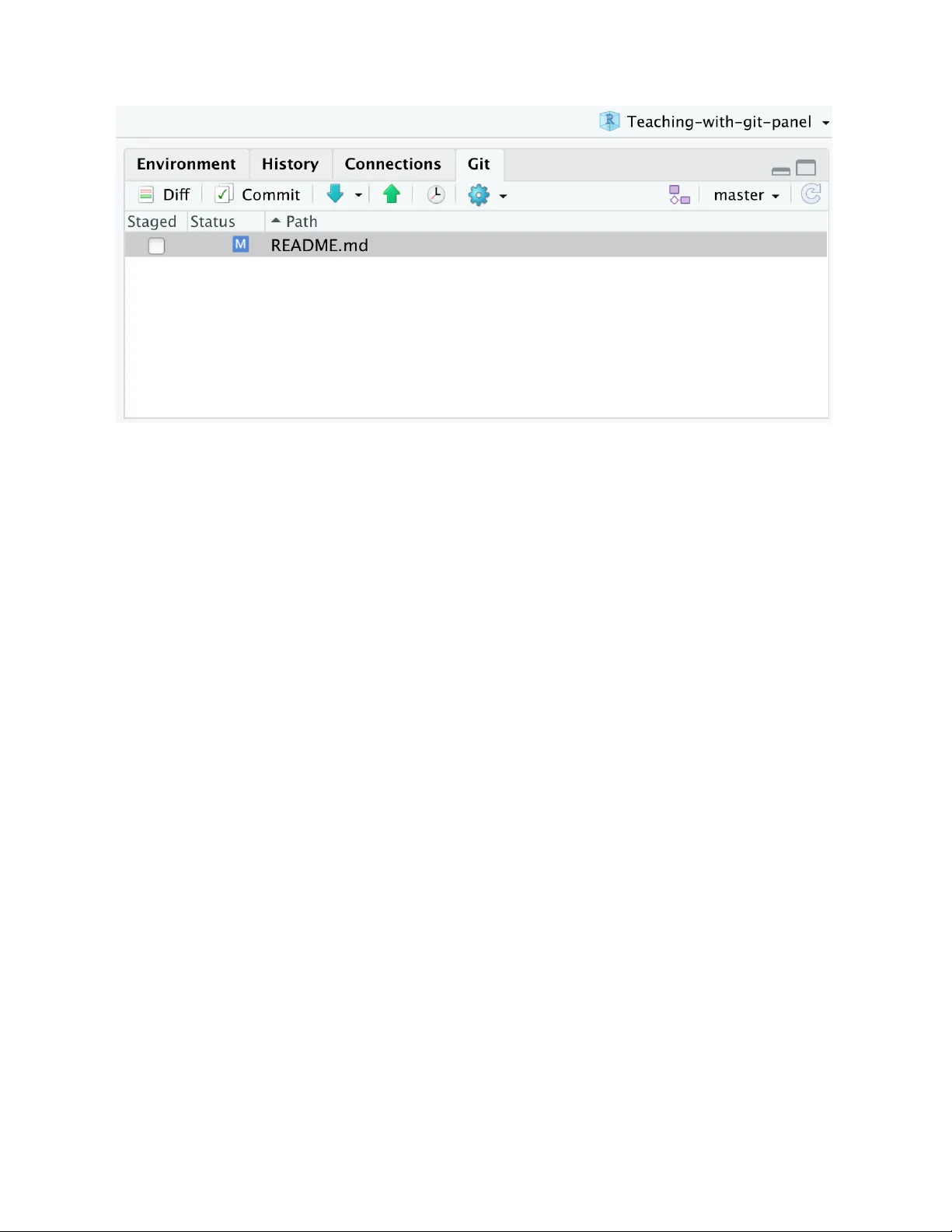
Implemen ting v ersion con trol with Git and GitHub as a learning ob jectiv e in statistics and data science courses Matthew D. Bec kman P enn State Universit y and Mine Çetink a y a-Rundel Univ ersity of Edin burgh, RStudio, Duk e Univ ersity and Nic holas J. Horton Amherst College and Colin W. Rundel Univ ersity of Edin burgh, Duk e Univ ersity and A dam J. Sulliv an Bro wn Universit y and Maria T ac kett Duk e Universit y No vem b er 5, 2020 Abstract A v ersion con trol system records c hanges to a file or set of files o v er time so that c hanges can b e track ed and sp ecific versions of a file can b e recalled later. As such, it is an essential element of a repro ducible workflo w that deserves due consideration among the learning ob jectives of statistics courses. This paper describ es exp eriences and implementation decisions of four contributing facult y who are teaching differen t courses at a v ariet y of institutions. Eac h of these facult y hav e set version con trol as a learning ob jective and successfully in tegrated one such system (Git) in to one or more statistics courses. The v arious approaches described in the pap er span different 1 implemen tation strategies to suit student bac kground, course type, soft w are choices, and assessment practices. By presen ting a wide range of approaches to teaching Git, the pap er aims to serv e as a resource for statistics and data science instructors teaching courses at an y level within an undergraduate or graduate curriculum. In press, Journal of Statistics and Data Scienc e Educ ation Keywor ds: statistical computing, education, data acumen, data science, repro ducible anal- ysis, workflo w, collab orativ e learning 2 1 In tro duction Nolan & T emple Lang ( 2010 ) promote “version con trol” as a key topic for statistical analysis, particularly when co ordinating w ork across a team. A v ersion control system records c hanges to a file or set of files o v er time so that c hanges can be track ed and sp ecific v ersions of a file can b e recalled later. The 2014 A meric an Statistic al Asso ciation Curriculum Guidelines for Under gr aduate Pr o gr ams includes proficiency with mo dern statistical softw are as w ell as well-documented and reproducible data wrangling skills as a necessary comp onen t of the undergraduate statistics curriculum ( American Statistical Asso ciation 2014 ). The National A cademies consensus report on Data Scienc e for Under gr aduates ( National A cademies of Science, Engineering, and Medicine 2018 ) identifies w orkflo w and repro ducibilit y as imp ortant com- p onen ts of “data acumen”. V ersion control is an imp ortan t foundation for repro ducible w orkflo ws, be they collab orativ e (maintaining versions of files that are b eing mo dified by teams) or non-collab orativ e (trac king analysis histories and providing analysis pro v enance). It forms a necessary part of a repro ducible work flo w, and therefore deserves due consid- eration among the learning ob jectiv es of statistics and data science courses. Fiksel et al. ( 2019 ) motiv ate the use of GitHub for version control and describ e ho w they integrated this complex and p ow erful system into tw o courses. This pap er follows a similar format to Garfield et al. ( 2011 ) and Hardin et al. ( 2015 ) by describing the exp eriences and implemen tation decisions of several con tributing facult y— teac hing differen t courses at different institutions—who ha v e successfully integrated Git in to one or more statistics courses to teac h version con trol as a learning ob jective. W e b egin by discussing our motiv ations for identifying v ersion control as a learning ob jective and then provide summaries of courses taught b y the four con tributing facult y highlighting differen t implementation strategies chosen based on studen t audience, course type, softw are c hoices, and assessment practices. W e highligh t a range of implementations across a v ariet y of courses and student p opulations in order to provide a resource for statistics instructors to in terp olate an implementation suitable for use in their o wn courses at the undergraduate or graduate level. W e refer the reader to T able 1 for definitions of terms we will use regularly throughout the pap er. Readers who are unfamiliar with v ersion con trol w ould b enefit from 3 reading Bryan ( 2018 a ). T able 1: Definitions of common terms. T erm Definition Git An op en source version control soft w are system ( git-scm.com ) Git rep ository (or rep o) Analogous to a pro ject directory lo cation or a folder in Go ogle Driv e, Dropb o x, etc. It tracks changes to files. GitHub A remote commercial hosting service for Git rep ositories ( GitHub 2020 a ) GitHub issues A mechanism to track tasks or ideas commit A set of sav ed c hanges to a lo cal rep o pull Up date a lo cal rep o push Upload lo cal files to a remote rep o forking Create a cop y of a rep ository under your accoun t pull request Prop ose c hanges to a remote rep o merge conflict Con tradictory changes that cannot b e in tegrated until they are reconciled by a user branc hing Keeping multiple snapshots of a rep o gh-pages (GitHub P ages) Sp ecial branc h which allo ws creation of a webpage from within GitHub GitHub Actions Mec hanism for con tin uous integration GitHub Classro om A system to facilitate distributing assignmen ts to studen ts. Instructors create a template Git rep ository that includes starter co de, datasets, and do cumen t templates that students ma y need. A single URL is provided to the class, and eac h student is pro vided their o wn copy of the template rep ository when they clic k the URL and accept the assignment. The instructor can reuse the template rep ositories in future offerings ( GitHub Education 2020 ). 4 ghclass An R pack age whic h provides an alternative system to GitHub Classro om to facilitate distributing assignmen ts to studen ts ( Rundel et al. 2020 ) RStudio An Integrated Dev elopmen t Environmen t (IDE), i.e., a front-end, for R that offers integration with Git. ( rstudio.com ) RStudio Server Pro A serv er-based v ersion of RStudio that can b e installed for free for academic use b y instructors or institutions. ( rstudio.com/pro ducts/rstudio-serv er-pro ) RStudio Cloud A cloud-based v ersion of RStudio soft w are on serv ers provisioned b y RStudio. ( rstudio.cloud ) 1.1 Motiv ation for v ersion con trol There are t wo main motiv ations for including version control as a learning ob jectiv e in statistics courses. The first motiv ation is repro ducibilit y . F or a scien tific study to b e replicated, the statistical analysis in the study must b e en tirely repro ducible. T eaching repro ducible analysis in the statistics curriculum helps mak e students aw are of the issue of scien tific repro ducibilit y and also equips them with the knowledge and skills to conduct their future data analyses repro ducibly , whether as part of an academic research pro ject or in industry . Baumer et al. ( 2014 ) advocates teac hing literate programming early in the statistics curriculum via the use of R Markdown, a system that enables students to pro duce computational do cumen ts that includes their co de, output, and written analysis using the rmarkdown pack age ( Xie et al. 2018 ). Literate programming with R Markdown go es a long wa y to w ards computational repro ducibility , but a data analysis of considerable scop e likely cannot b e managed in a single R Markdown do cumen t. As Bryan ( 2018 a ) puts it, data analysis is an iterative pro cess that relies on and pro duces many files – input data, source co de, figures, tables, rep orts, etc. Managing such pro jects is not unique to statistics, but it is something that our curricula ha v e b een slo w to address. V ersion control pro vides a mechanism for managing all these files and sharing them with others as a pro ject progresses, and mo dern to oling and workflo ws mak e it easier to implement in teaching than 5 ev er b efore. The second motiv ation is industry and academic preparedness. The abilit y to use version con trol systems is a highly desired skill in any industry where writing co de is part of the job, and the need to teac h it h as b een recognized in the literature ( Haaranen & Lehtinen 2015 ). Git is a widely used to ol in industry for v ersion control and co de sharing. In a 2017 survey of data scien tists conducted by Kaggle, ov er 58% of 6,000 surv ey resp ondents remarked that Git was the main system used for version con trol and co de sharing in their workplace ( Kaggle 2017 ). Additionally , kno wing how to use GitHub is considered an essential skill in the tech field, just as imp ortan t as softw are dev elopmen t and technical writing ( Zagalsky et al. 2015 ). In an era where many of our statistics and data science students are heading in to jobs where they will b e writing co de and w orking alongside softw are engineers and dev elop ers, it is essential that we equip them with these skills. Exp osure to v ersion con trol early (and often) in a statistics curriculum ensures that, b y the end, studen ts not only enhance their statistical analysis skills, but also dev elop w orkflo ws for conducting analyses individually and collab orativ ely . With the widespread use of GitHub in academia and industry , courses that teach v ersion control prepare studen ts for internships, research programs, and their future careers. More immediately , they can use these computing to ols as they w ork on analyses and pro jects in subsequent courses. A dditionally , implementing version con trol in a course can encourage students to think ab out statistical analysis as an iterativ e pro cess. While w orking on a given assignmen t, studen ts “submit” their w ork m ultiple times b y knitting their R Markdown file, writing a commit message to do cument the c hanges, and pushing the up dated work to their as- signmen t rep ository (rep o). Some hav e adopted the mantra “knit-commit-push” for this w orkflo w, and others “commit-pull-push”. Both are effective wa ys to help drive home the w a y that GitHub structures and organizes changes to files. Use of v ersion control helps reinforce the notion that statistical analysis t ypically re- quires m ultiple revisions, as studen ts can review their commits to see all the up dates they’v e made to their work. A desirable side effect is that, b ecause studen ts are p eriodically “sub- mitting” their assignmen t as they work on it, there is less pressure of the final deadline where everything m ust b e submitted in its final form. By the time a deadline approaches, 6 studen ts hav e ideally submitted a ma jority of their work, which may reduce issues around late submissions. 2 Metho d In order to organize this pap er, the authors first agreed up on a set of organizing prompts to provide direction as they describ e their exp eriences: • Describe the course/students. • Wh y use Git and GitHub? • What to ols do you use for implementing Git in y our class? • Ho w do y ou introduce Git? Describ e your students’ first encoun ter with Git in the course. • What role do es Git hav e in the regular da y-to-da y workflo w for y our students in the course? • Ho w do you assess Git proficiency as a learning ob jective? • Ho w do you address the United States F amily Educational Righ ts and Priv acy Act (FERP A) and related priv acy issues? • Do y ou ha v e other advice for instructors considering incorp orating Git or some other t yp e of version con trol into a statistics course? The con tributors w ere then free to address as man y of these prompts as they deemed appropriate. Eac h narrative description was then written indep enden tly in an attempt to reduce cross-p ollination and promote similarities and differences to emerge naturally . The panel resp onses hav e b een organized to follow a similar structure within eac h section (course description, tools and implementation, first exp osure in class, regular workflo w, assessmen t, and other remarks). The order in whic h these resp onses are presented aligns roughly with their place in a statistics curriculum at each resp ectiv e institution: a first y ear undergraduate course, a second undergraduate course in statistics, a course in a Master’s in Statistical Science program, and finally a Master’s lev el course in a Biostatistics program. 7 3 Common features of the courses While taught at different levels and serving different audiences, there are also a few as- p ects shared b y all of the courses describ ed. First, all of these courses teach and use the R computing language along with RStudio as the integrated developmen t environmen t for R ( RStudio T eam 2015 ). Second, each course either requires or offers the option to ac- cess RStudio in the browser, either using an RStudio Serv er Pro instance hosted by their univ ersit y or using RStudio Cloud, a cloud-based service managed by RStudio ( RStudio T eam 2020 ). Both options allow students and the instructor to use the same v ersions of R, RStudio, and any pack ages required for the course, whic h cuts down on early difficul- ties related to managing lo cal installations. A dditionally , this means studen ts only need a web browser and an internet connection to access the computing en vironmen t and can start programming as so on as the first day of class ( Çetink ay a-Rundel & Rundel 2018 ). Nearly an y computer, Chromeb o ok, or tablet is sufficient, and studen ts can easily switch hardw are as needed if using one device (e.g., tablet or lab computer) in class and another (e.g., p ersonal computer) outside of class. In the rest of the pap er w e will refer to these pro ducts generically as RStudio or the RStudio IDE. Serv er-based access to RStudio also streamlines Git installation and integration with RStudio. Each course uses the Git pane in RStudio as opp osed to Git’s command line in terface or GitHub Desktop. The RStudio in terface is attractiv e since it is familiar to man y students and it facilitates use of the basic functionality of Git using a p oin t-and- clic k in terface to practice v ersion control fundamen tals and implement k ey steps of the w orkflo w (e.g., diff , c ommit , pul l , push ; see Figure 1 ). This implemen tation serv es to mitigate cognitive load while students gain proficiency with unfamiliar to ols and workflo ws, y et easily extends when required, since the terminal is accessible within RStudio if shell commands are necessary . All of the instructors manage Git related course logistics by establishing a GitHub Pro organization through GitHub Education. GitHub provides unlimited free priv ate rep osi- tories as well as compute-time credits that can b e used for running automated actions on the studen t rep ositories. Use of priv ate rep ositories ensures compliance with the F ederal Educational Rights and Priv acy Act (FERP A) b y protecting student w ork and information 8 Figure 1: Example of Git pane within an RStudio IDE window from p ublic access ( F e der al Educ ational R ights and Privacy A ct (FERP A) 2020 ). These priv ate rep ositories are only accessible to the student, the instructor, and an y other course teac hing staff, e.g., teaching assistants. A dditionally , GitHub organizations hide the iden- tit y of all mem b ers to non-members by default, meaning that studen ts’ enrollment in the course will not be disclosed b y their joining the course organization. Access within the GitHub organization is further controlled on a p er user basis via p ermissions: the instruc- tor and teaching assistan ts are “Owners” and the students are “Members”. As “Owners”, the instructor and teaching assistan ts are able to manage organization membership as well as create and manage any rep ository created within the organization, and th us see all stu- den ts’ work. As “Members”, studen ts are only able to view and access th e individual or team repositories assigned to them; they cannot view or access the rep ositories for an y other students. They , as well as non-members, can also view any rep ositories within the organization that ha v e b een made public, such as those con taining supplemental notes or an y other materials for the course. 9 4 First-y ear data computing course (Bec kman) 4.1 Course description ST A T 184: In tro duction to R Programming at Penn State Univ ersit y is a tw o-credit (2 x 50 min ute instruction each week for 15 w eeks) R programming course originally mo deled after a similar course and accompan ying textb ook ( Kaplan 2015 , Kaplan & Beckman 2019 ) first dev elop ed by Daniel Kaplan at Macalester College. This course is designed for first- y ear undergraduate students from any academic program and has no prerequisites. The course currently enrolls 30-40 students in each of 9 sections p er academic year, although enrollmen t demand has b een increasing rapidly since it w as first dev elop ed in 2015. A t least one section eac h year is made a v ailable to first-semester students in terested in the statistics ma jor (it has ev en b een co ordinated with their orientation seminar class in the past) and at least one other section is offered by p opular demand to mixed audiences of an y ma jor and class standing. Ma jor topics in ST A T 184 include data wrangling and visualization with tidyverse to ols, literate programming with R Markdo wn, and v ersion con trol with Git. These themes p ersist for the en tire semester and are complemented by a survey of topics suc h as statistical foundations, w eb scraping, regular expressions, sim ulation principles, and basic machine learning ideas. 4.2 T o ols and implemen tation The workflo w for students in ST A T 184 includes the RStudio IDE, its Git pane for version con trol, and in teracting with GitHub. The only step in the workflo w that inv olves a to ol outside of these is typically the Git configuration step that studen ts complete once at the b eginning of the semester using the T erminal pane of RStudio. The instructors use one additional to ol, GitHub Classro om ( GitHub Education 2020 ), to deploy assignments to students as describ ed in Fiksel et al. ( 2019 ). GitHub Classro om facilitates the batch creation of priv ate student rep ositories on GitHub with starter do cu- men ts for eac h assignment such as instructions, a grading rubric, data sources, and an R Markdo wn template. 10 Eac h w eek studen ts are assigned one or more assignmen ts with GitHub Classro om. Studen ts then clone these rep ositories, work on them and commit and push their changes bac k to GitHub as they go, and finally submit their assignments in the universit y’s learning managemen t system (LMS). The end-of-semester pro ject has a slightly different workflo w; w ork may b e submitted as a GitHub rep ository or a website automatically created using GitHub Pages, a setting configured within the pro ject rep ository . 4.3 First exp osure in class F or the first studen t encounter with Git and GitHub in ST A T 184, the instructor creates a public GitHub rep ository asso ciated with a GitHub P ages website for the class (e.g., see mdb ec kman.github.io/GitHub-Practice-StatChat-SP20 ). After a 15 minute class discus- sion to motiv ate v ersion con trol as a means to supp ort collab oration and repro ducibility as w ell as orien t students to a schematic representation of a workflo w that includes Git and GitHub, studen ts are pro vided a link to the aforementioned GitHub Pages w ebsite whic h includes instructions for a hands-on activity to be completed during class. The activity w alks through a first encounter with Git and GitHub whic h invites students to (1) create a GitHub profile of their own, (2) create their first Git rep ository , (3) turn their p ersonal rep ository in to a GitHub Pages w ebsite, (4) edit a table in the instructor’s class rep ository to add their name, GitHub user ID, and a functioning URL for GitHub Pages website they ha v e just created, (5) leav e an informativ e commit message and initiate a pul l r e quest to the instructor’s rep ository . The resulting table (from step 3) pro vides the instructor with the name and GitHub username asso ciated with eac h studen t, and every studen t creates a public GitHub Pages website as a starting p oint to b egin developing a w ork p ortfolio for future use. The exercise tak es appro ximately 30 minutes and in tro duces k ey elements of v ersion con trol: • Creating a rep ository . • Making a few commits and issuing a pull request. • Con tributing to an outside rep ository b elonging to another GitHub user. • Observing ho w to merge pull requests. 11 • Observing ho w merge conflicts are created and resolved. This short activit y has the additional b enefit that the en tire exercise can b e completed within the GitHub web interface. The adv an tage of this approach is that students do not need to use R, th e T erminal, or ev en Markdown, which allows them to b egin building a sc hema for version control without distraction from to ols still unfamiliar to them at this early stage. 4.4 W orkflo w After the first exp osure to v ersion con trol as describ ed ab ov e, eac h assignment throughout the semester is asso ciated with a priv ate GitHub rep ository that each studen t maintains. Nearly the entire w orkflow takes place within the RStudio IDE. The only regular (alb eit trivial) v ersion con trol task outside the RStudio IDE is the requiremen t that studen ts clic k a link to accept the template rep ository deploy ed through GitHub Classroom, and then students are taken to a GitHub rep ository asso ciated with their p ersonal copy of the assignmen t whic h they clone as an RStudio pro ject. F rom that p oint on, studen ts can mak e a c ommit , push , pul l , view a diff (difference b et w een current and previous versions of a do cumen t), etc. using the Git pane in RStudio. Some of these Git rep ositories are asso ciated with an activit y that is launched, com- pleted, and submitted in the space of a week or less, while other Git rep ositories are used on a regular basis throughout nearly the entire academic term. Additionally , a few rep ositories are asso ciated with collab orativ e assignments for which t w o or three studen ts must con- tribute b y making commits to shared rep ositories. Students are exp ected to mak e regular commits in eac h rep ository with the assessmen t of several assignmen ts taking in to account their commit history eviden t in the asso ciated GitHub rep os. Ho wev er, the final pro duct of most assignmen ts is submitted to the course LMS for grading. 4.5 Assessmen t If version control is to b e tak en seriously as a learning ob jective for a course, then it should b e made clear to students early and often. Students should find men tion in the course 12 syllabus, studen ts should exp ect to see it on exams, and students should feel that it is among the class norms for regular assignmen ts. In the earliest iterations of ST A T 184 dev elopmen t, v ersion control had b een treated as an inciden tal topic: encouraged, but not assessed. As a learning ob jective, version control is now integrated in to a wide v ariety of assessmen ts, including homework assignments, pro jects, and exams. F or early assignments, success is set at a relativ ely low threshold: ob jective evidence that students hav e simply created a rep ository of their o wn or edited a rep ository provided to them. As the workflo w b ecomes more familiar, assessment ma y include direct scrutin y of a commit history or similar activity do cumen ted within a sp ecific rep ository . F or example, students are exp ected to maintain a single rep ository for all weekly prob- lem sets assigned from the textb o ok during the semester. This rep ository is then graded as a distinct homew ork score at the end of the semester based on verification that all assign- men ts are presen t and asso ciated with some minimum n umber of commits p er assignment. T o b e clear, the goal is simply to incentivize commits early and often in the workflo w of each assignmen t. Students should not b e preo ccupied b y counting commits; the actual num b er is inconsequential. Once version control has truly tak en ro ot in the students’ workflo w, man y ST A T 184 studen ts more than double the minim um num b er of commits required. Lastly , studen ts are to exp ect version control con ten t on in-class exams. F or example, this might include op en-ended tasks ab out important concepts, selected-resp onse questions (e.g., T rue/F alse or m ultiple choice) ab out pro cedural details suc h as whether a pul l action mo difies files (a) in the d irectory on their lo cal computer [correct answ er], (b) on the GitHub Remote Serv er, (c) b oth, (d) neither, or another task migh t prompt studen ts to resolv e an apparen t merge conflict presented to them in a screenshot. 4.6 A subsequen t Data Science course ST A T 184, along with an introductory statistics course (e.g., AP Statistics), serv es as a pre-requisite for an in termediate-lev el course in the curriculum (ST A T 380: Data Science Through Statistical Reasoning and Computation) that is required for b oth statistics and data science ma jors. This course extends practices, including v ersion control, in tro duced in ST A T 184 such that the to ols and workflo w are largely unchanged with the exception that 13 studen ts are exp ected to use a lo cal installation of RStudio. Since prior exp erience with v ersion control in the prerequisite ST A T 184 class is assumed, ST A T 380 instructors can simply upload a roster of names and email addresses to GitHub Classro om and students can iden tify themselves as they start their first assignment. Assessments still include v arious v ersion control elements but are held to higher standards as exp ected of a more mature w orkflo w. 5 A second course in statistics (T ac k ett) 5.1 Course description ST A 210: Regression Analysis is an intermediate-lev el course in the Departmen t of Sta- tistical Science at Duk e Univ ersity . Ab out 90 studen ts tak e the course eac h semester, represen ting a v ariety of ma jors across campus. The course is one of the core requirements for the statistical science ma jor and minor, so a large prop ortion of the students intend to pursue the ma jor or minor. The only prerequisite is an introductory statistics or probability course, therefore the studen ts coming in to ST A 210 hav e a range of previous exp eriences using R and Git. As an example, in F all 2019, a ma jority of students had previously used R and RStudio in another course, while less than half had an y previous exp osure to Git and GitHub. Given the v ariabilit y in previous exp eriences with these computing to ols, some of the c hallenges of teaching Git in this course are similar to those exp erienced in a first semester statistics course. 5.2 T o ols and implemen tation The primary computing to ols used in ST A 210 are the RStudio IDE and GitHub. On the instructor side, all administrative activities inv olving GitHub are done using the ghclass R pac k age ( Rundel et al. 2020 ). These activities include adding the students to the GitHub organization at the b eginning of the semester, creating teams on GitHub, making and replicating assignmen t rep os, and cloning the rep ositories for grading. These pro cesses are describ ed in more detail in Section 5.4 and further details are provided in the do cumen tation for the ghclass pack age. The computing infrastructure using RStudio and GitHub as w ell 14 as the course p edagogy is based on Çetink ay a-Rundel & Rundel ( 2018 ) and Data Science in a Bo x ( Çetink ay a-Rundel 2020 ). 5.3 First exp osure in class Studen ts are in tro duced to Git at the v ery b eginning of the semester. On the first da y of class, students create GitHub accoun ts with guidance from Bryan ( 2018 b ) on choosing a user name. A t the b eginning of the semester, a p ortion of lecture is used to in tro duce v ersion con trol and repro ducibilit y , why they are imp ortan t, and ho w RStudio and Git will help students implemen t these practices in their w ork. One of the first assignments in the course is a computing assignment fo cused on using RStudio and Git. This assignment serv es as a review for some studen ts, and it is an in tro duction to these to ols for others. F or all student s, how ever, it is their first exp osure to the w orkflo w they will use throughout the rest of the course. Studen ts write their resp onses in an R Markdo wn file, knit the file to pro duce a Markdo wn do cumen t, write a short and informativ e commit message, and push their work to GitHub for submission. Throughout the assignment instructions are p erio dic reminders to knit , c ommit , and push , a man tra used throughout the semester to remind studen ts how to connect their work in RStudio to their assignment rep ository in GitHub. The instructions for the first few assignmen ts also include examples of informative commit messages. The instructions end with a reminder for studen ts to review their w ork in the assignmen t rep ository on GitHub to ensure it is the final v ersion to b e submitted for grading. Studen ts complete several assignments individually b efore working on their first team assignmen t. This giv es them an opp ortunity to b ecome familiar with RStudio and Git and b ecome comfortable with this workflo w b efore in tro ducing the additional la y er of col- lab orating in GitHub. F or the first team assignment, in addition to the aforementioned w orkflo w cues, students also receive cues to pul l so they hav e the most up dated v ersion of the collab orativ e do cumen t. There are also cues to rotate which team mem b er t yp es the resp onses. These w orkflo w cues are ev en tually remov ed from the assignmen t instructions as the semester progresses and the workflo w is more routine for students. 15 5.4 W orkflo w There are tw o basic w orkflo ws in the course: one for general assignments, such as homew ork and computing labs, and one for the final pro ject. The typical w orkflo w for general assignments is the following: 1. The instructor creates a starter rep ository . The starter rep ository includes a link to the assignment instructions, an R Markdown template, and a folder for the data (if needed). In the b eginning of the semester, the dataset is already included in the starter rep ository . As the semester progresses, students do wnload the data from the assignmen t instructions and upload it to the rep ository . 2. A cop y of the starter repository is created for eac h student (or team) using the ghclass R pac k age. F or individual assignments, the rep ositories are named using the template assignment_name-[user_name] , where [user_name] is the student’s GitHub username. F or team assignmen ts, the rep ositories are named assignment_name- [te am_name] , where [te am_name] is the team’s name on GitHub. F or example, the first individual homew ork assignment is named hw01-[user_name] . 3. Studen ts start a new pro ject in RStudio by cloning their assignment rep ository . They configure the RStudio pro ject with the GitHub rep ository by using the use_git_config() function in the usethis R pack age ( Wic kham & Bry an 2020 ). Studen ts complete the assignmen ts in RStudio, b y typing their resp onses in an R Markdo wn do cumen t with output: pdf_document which produces a PDF from the R Markdo wn document. They p erio dically knit , c ommit , and push their work to their rep ository on GitHub. 4. Studen ts submit their w ork b y connecting their rep ository to the asso ciated assign- men t on Gradescop e, an online rubric and grading system ( Gr adesc op e 2020 ). 5. Studen ts view the assignment feedbac k on Gradescop e. It is connected to the LMS whic h ensures that grades are securely stored within the universit y’s system. During the second half of the semester, studen ts complete a final pro ject in teams of three or four. The workflo w for the pro ject is generally similar to the one describ ed ab ov e, with the exception b eing ho w students receive feedbac k. A t v arious c hec kp oin ts in the pro ject, students receive feedback as an “issue” in the GitHub rep ository for their pro ject. 16 They can reply to the issue as one wa y to ask the instructor follo w-up questions ab out the comments. This feedback workflo w is used for the pro ject to more closely mimic how studen ts may exc hange ideas with collab orators if they use GitHub outside of the classro om setting. Though commen ts are p osted in the GitHub issue, there are no grades p osted on GitHub. All grades related to the pro ject are p osted only in the LMS. 5.5 Assessmen t Dev eloping a proficiency using RStudio and Git is a learning ob jective for the course, so studen ts are assessed on ho w they use the to ols on a ma jorit y of assignmen ts. Students are required to ha v e their work in their GitHub rep ository to b e considered for grading, so they m ust learn how to push to GitHub in order to complete individual assignmen ts and b oth push and pul l for team assignments. Eac h assignmen t includes a category named “Overall” that includes p oin ts dedicated to using Git. Typically ab out 5% of the p oints on an assignmen t are for having at least three commits and writing informative commit messages. On team assignments, there are also p oin ts allo cated for ha ving at least one commit from each team member. This is used to hold team mem b ers accountable for contributing and to encourage teams to mak e use of the collab orativ e nature of GitHub. 5.6 Other remarks Based on m ultiple semesters of teac hing version con trol in undergraduate courses, here are a few recommendations for instructors who are considering teaching GitHub as a learning ob jective in an undergraduate statistics course: • Get early buy-in from studen ts. As mentioned in Section 5.3 , a p ortion of lecture in the beginning of the semester in tro duces the imp ortance of repro ducibilit y and v ersion control. Giv en the relativ ely steep learning curve for Git and GitHub, it is imp ortan t that students understand the v alue of learning these computing skills and ho w they are used when doing a statistical analysis. • F o cus only on the GitHub functionally used in the course, as in tro ducing to o m uc h functionalit y can b ecome ov erwhelming. Generally teaching students how to push , 17 pul l , c ommit , and resolve merge conflicts is enough to complete the assignments in a statistics course. • Utilize the Git pane in RStudio. Running Git commands through the RStudio in ter- face helps mak e it more accessible for students who don’t ha v e previous exp erience running co de from the command line. 6 A Master’s lev el statistical programming course (Run- del) 6.1 Course description ST A 523: Statistical Computing was dev elop ed in 2016 for the (then) new Master’s in Statistical Science (MSS) program at Duke Universit y and has b een offered yearly since. The course w as designed around three core pillars: fo cusing on repro ducible metho ds, emphasizing programming knowledge, and teaching foundational data science skills. The course shares many commonalities with approaches to integrate computing suggested by Nolan & T emple Lang ( 2010 ) (see https://www.stat.berkeley.edu/~statcur ). The course is required for all first y ear MSS students in their first semester, and consists of t w o 75 minutes lectures and one 75 minute workshop p er w eek. These studen ts come from a wide v ariety of bac kgrounds with many having little or no prior co ding exp erience. Similarly , most students hav e nev er used or hav e had minimal exp erience with Git and GitHub or other v ersion con trol systems. As the only required course in the MSS program that fo cuses on computing, programming, and softw are engineering, the goal of the course is to pro vide the studen ts with a strong foundation of skills that are relev ant to their other courses as w ell as their careers after graduation. While the ideal computational skill set for an MS in Statistics graduate is a mo ving target, it has become clear that b ey ond traditional topics (e.g. n umerical computing, optimization, etc.) more data-fo cused skills (e.g. data m unging, databases, SQL, etc.) are increasingly imp ortan t. W e ha ve attempted to reflect this in the course’s evolving curriculum. In addition, the course cov ers statistical topics suc h as mo deling and prediction as well as Bay esian metho ds such as 18 appro ximate Ba y esian computation and MCMC. These statistical topics are presen ted to complemen t other coursework in the curriculum b y fo cusing on the computational details and implementation. 6.2 T o ols and implemen tation Similar to the t w o previous courses, studen ts in this course use the RStudio IDE and in teract with GitHub via the Git pane in RStudio. In the earliest iterations of the course the pro cess for creating, distributing, and collecting student work from GitHub rep ositories w as done manually or via simple shell scripts. Ov er time a n umber of to ols hav e made this pro cess muc h easier b y allowing for the automation of most of these pro cesses. Sp ecifically , GitHub released their Classro om to ol around the same time this course was first offered and it was used for the delivery of individual assignments. How ever, its team assignment w orkflo w w as initially not present and later o verly constraining, as it did not allow the instructor to assign teams. These limitations and the p o wer and av ailabilit y of the GitHub API led to the devel- opmen t of the ghclass R pack age which is used for automating interactions with GitHub for course management ( Rundel et al. 2020 ). The pac k age has more functionalit y than can b e explored in this paper, but the core use case is for automating the creation of team and individual assignment rep ositories. F or example, using the template rep ository based w orkflo w, describ ed ab o v e, the pack age helps create new rep ositories, create teams, add mem b ers, add teams or users to the rep ositories, and then copy the template’s conten ts with a single function, e.g. org_create_assignment() . One additional attractiv e feature of the pac k age is the ability to interact with existing rep ositories, particularly when it comes to adding or mo difying files. This is v aluable to address the all-to o-common situation that a distributed assignment includes a typo, a minor issue with the data, or the rep o contains the wrong version of a file. Rather than having to send out an email announcing the issue or p osting an announcement to the course LMS, ghclass allo ws for push ing the corrected file(s) out to all of the students’ rep ositories in a w a y that is merged with an y existing w ork. Since everything is managed via Git there is no risk of, p ermanan tly , ov erwriting student work. The w ork that has gone into implementing 19 the necessary low lev el functionality in this pack age has allo w ed extensions and exp erimen ts with the automation of higher level processes (suc h code formatting feedbac k and p eer review). As some of the topics in the course in volv e fairly heavy computational w orkloads, a cen tralized p o werful departmental server hosting RStudio Serv er Pro pro vides studen ts access to the necessary compute resources. The more extensiv e computational w orkload is also relev ant to the usage of large datasets in the course, as GitHub has a strict file size limit of 100MB, while some of the datasets used in this class exceed multiple gigabytes in size. T o address this issue, these large files are hosted in a shared, read-only directory on the same server that hosts RStudio, suc h that all studen ts hav e access to the files without ha ving to main tain their o wn cop y . These data could also b e hosted in the cloud, but co-lo cating the data with the compute resources is imp ortan t b oth for efficiency and cost. 6.3 First exp osure in class As stated previously , the expectation is that studen ts will use Git and GitHub for all of their assignments within the class starting from da y one. In order to ease the initial learning curve for these to ols, as well as RStudio, the class explicitly includes at least one hour of lecture in the first week to motiv ate these topics. Typically , this tak es the form of a v ery brief in tro duction to the theory and history of version control and Git, and then the remainder of the time is dedicated to a live demonstration of the to ols. A t this time, the first assignment is distributed via a GitHub Classro om link: studen ts follo w the link, connect their GitHub account to a unique identifier in the roster, and then gain access to their o wn priv ate rep ository copy of the assignmen t template rep ository . As part of the live demonstration, the instructor leads studen ts through this pro cess and ho w to lo cate and interact with the rep ository on GitHub. This leads to forking the rep ository , cloning the Git rep ository as an RStudio pro ject, and a demo of the basic usage of the Git pane. The basic Git actions suc h as stage , c ommit , push , and pul l are co v ered and the class usually concludes by purp osefully inducing a merge conflict to demonstrate the pro cess of resolving it. This is a large amount of material for the students to absorb in a short p erio d of time. 20 Recording the session (either via screen recording or lecture capture), providing in-p erson supp ort, and having an initial individual assignmen t that is fo cused on reinforcing the w orkflo w has allow ed most students to get up to sp eed quic kly . The n um b er of Git-related questions during workshops and in office hours is substantial during the initial weeks of eac h semester, but tends to decrease rapidly as the semester progresses. 6.4 W orkflo w The course features four to eight team assignments and tw o individual pro jects, all of whic h require complete repro ducibilit y for full credit. F or each assignmen t / pro ject a template rep ository is created, whic h is structured using an RStudio pro ject and contains the files necessary for the assignmen t. Typically , this template includes a README file which con tains a detailed description of the assignment, a scaffolded R Markdown do cumen t whic h giv es a uniform structure for the assignment and includes clear indications of where the studen ts should en ter their implementations / solutions and write up, and any additional necessary support files (e.g., data, scripts, etc.). These template rep ositories can easily b e shared with teac hing assistants for feedbac k and or training purp oses, and can also b e mo v ed from previous y ears in to new organizations for eac h new offering of a course. The w ork is assigned to the studen ts by mirroring the template rep ository to either the student or their team’s priv ate rep ository , using a consistent naming scheme e.g., hw01-team01 , whic h giv es them access to their own copy of all the necessary files for the assignment and can b e directly cloned as an RStudio pro ject from GitHub using the New Project in terface. Studen ts are then able to w ork on the assignment within RStudio and turn in their work as well as collab orate with team members by c ommit ting and push ing their co de back to GitHub. Earlier v ersions of the course fo cused on teac hing b oth the RStudio Git in terface as well as the command line Git interface, but the v ast ma jority of students preferred the former so the latter approach w as dropp ed in fa v or of adding other conten t. At the deadline for eac h assignmen t it is simply a matter of cloning all of the assignment rep ositories from the organization to obtain a lo cal copy of all of the students’ work, whic h can then b e rerun to assess repro ducibilt y and the resulting HTML or PDF do cumen ts graded. 21 6.5 Assessmen t While grading each studen t or team’s work, their R Markdown do cumen ts are recompiled to ensure the repro ducibility of their w ork. In early versions of the course this was coupled with a course p olicy that work that failed to compile would receive a zero, which turned out to b e almost imp ossible to enforce in practice. Most of the time students’ co de would fail to run for relativ ely small issues (e.g., use of setwd() to set w orking directories with absolute file paths or loading a less commonly used pac k age that the instructor did not ha v e installed) that could b e easily fixed y et caused a compilation error. It was p ossible to ha v e a back and forth with the students ab out the errors and ha v e them correct them but this prov ed to b e very inefficien t and frustrating for b oth the students and instructor. The solution to this has b een to implemen t automatic f eedbac k for the students on the basic pro cesses of their assignment. This is done b y c hecking their R Markdo wn do cumen ts and rep ositories using contin uous integration to ols av ailable via GitHub Actions. These tests take the student’s co de and run basic sanity chec ks every time studen ts push their co de to GitHub: do es the R Markdo wn do cumen t knit, are only the necessary files included in the rep ository? GitHub Actions are used to implement these tests. The test results are signaled to studen ts via a badge in their rep ository README that sho ws either green or red dep ending on whether the c heck passed or not. A dditionally , they can clic k on these badges to get sp ecific feedbac k in the case a chec k failed. This b ecomes a simple necessary (though not sufficien t) condition for the students to examine when completing an assignment. Examples of the curren t GitHub action based workflo ws b eing used for this and related courses are a v ailable at the ghclass-actions GitHub rep ository ( Rundel 2020 ). Usage of Git and GitHub has nev er been an explicitly assessed component of these courses, ho wev er it is inherently tied to the studen ts work as it is the only av ailable metho d of obtaining and turning in their w ork. There hav e not b een an y sp ecific efforts to encourage particular w orkflo ws with Git / GitHub (i.e., branc hing, issues, etc.) but it has b een in teresting to observe some of the emergent b eha viors that studen t teams ha ve dev elop ed for collab oration. 22 6.6 Other remarks This sp ecific course has b een offered ev ery F all since 2016 and has consisten tly had a capp ed enrollmen t of around 40 students p er semester. In 2017, it w as decided to add an under- graduate equiv alent to the course, ST A 323, which has b een offered in the Spring semester eac h year since and has also had a capp ed enrollmen t of appro ximately 40 p er semester. Lastly , up on joining the Universit y of Edin burgh, a similar Master’s-lev el Statistical Pro- gramming course, Math 11176, has b een taugh t whic h has an enrollmen t of around 180 studen ts. The example of Jenny Bryan and her Stat 545 course ( Bry an 2020 ) at the Universit y of British Columbia serv ed as a direct inspiration for these courses. It w as inv aluable to see that such a course already existed and had b een successful ov er a num b er of years. The op en publ ishing and dissemination of the course materials directly influenced man y asp ects of the class. Without this clear mo del of a course it is unlikely that these courses w ould ha v e b een dev elop ed or b een as successful. More of this type of creative sharing would b e of b enefit to the comm unit y . 7 A Master’s lev el biostatistics course (Sulliv an) 7.1 Course description Statistical Programming in R (PHP 2560) is a first programming course for Master’s stu- den ts in Biostatistics at Bro wn Univ ersit y . The main fo cus of the course is to dev elop go od statistical programming habits while also preparing students for the world of repro ducible researc h and data science. The class started with 14 studen ts and as of F all 2019 drew more than 50 studen ts a semester, including studen ts from undergraduate to PhD level in m ultiple departments across the Univ ersity . Man y studen ts come to the course with some exp erience using R for data analysis, but no exp erience writing functions, designing pac k ages, or creating in teractiv e w eb applications with the shiny pac k age ( Chang et al. 2019 ). 23 7.2 T o ols and implemen tation Studen ts use their o wn computers and ha ve the c hoice betw een installing both R and RStudio lo cally or via RStudio Cloud. Eac h studen t creates a GitHub accoun t and connects this to their RStudio use. Pre-class and in-class co ding exercises are all placed in to GitHub rep ositories which act as starter co de for assignments created using GitHub Classro om. When studen ts accept the assignment, they use RStudio to clone their GitHub rep ository as an RStudio pro ject. They are guided to c ommit-pul l-push frequently as they complete their work. As noted earlier, GitHub Classro om provides a flexible platform for creating priv ate GitHub rep ositories for students. 7.3 First exp osure in class The course is ab out statistical programming in R, ho w ev er, the first few class meetings are dedicated to learning Git. Prior to any instruction in R, the students w ork through the basics of Git. Before the fi rst class, studen ts install Git, R and RStudio on their computer, then work through the “First days of Git” Learning Lab ( GitHub 2020 b ). During the first class, students follo w a link to a starter assignment from the course w ebsite and they create an RStudio pro ject with this link. Then, studen ts work through a few exercises throughout the entire first class practicing the Git w orkflo w and in RStudio. 7.4 W orkflo w The rest of the course consists of DataCamp ( DataCamp 2019 ) assignmen ts and pre-class co ding exercises. The pre-class work is all in one rep ository to whic h students contribute throughout the semester. The course w ebsite contains links to either GitHub rep ositories for students to grab files from or an assignment lin k generated using GitHub Classro om. The class consists of a 15 minute o v erview and review of pre-class work. Then studen ts b egin a pro ject by cloning their assigned pro ject in RStudio. Eac h class they first c ommit their pre-class w ork into the team rep ository . They then review and comment on each others co de and push those comments and feedback. At this p oin t, they b egin working on team co ding pro jects. They typically create their own scrap work file and then together 24 decided on whic h co de is display ed on the teams’ final results. When they encounter their first merge conflict, they are instructed to work through this with the help of the instructor as well as GitHub’s merge conflict tutorial ( GitHub 2018 ). The Git pro cess is slo w going and some students find it to b e frustrating at first, but it do es not take long b efore they hav e very few conflicts or problems with their rep ositories. 7.5 Assessmen t The instructor and teaching assistan ts create plain text files (e.g., feedback.md ) in eac h rep ository and comment the co de based on a published rubric that all students see on the course site. Scoring rubrics include ev aluation of the rep ository history and commit messages as w ell as R programming st yle. F eedback is then added to the student rep ositories so they can pul l to see the remarks shared with them. 7.6 Other remarks The exp erience of teaching this course for o v er 4 years (6 offerings of the course) led to the follo wing recommendations for other instructors considering teaching a course with version con trol as a learning ob jectiv e: • Experiment with Git and RStudio implemented on v arious computers. If studen ts run in to problems while installing or configuring the to ols, it is helpful to ha v e exp erience with more than one implemen tation. Utilize studen ts who hav e things working on their computer to help others troublesho ot. This creates team w ork but also allo ws for more studen ts to receive supp ort at a time. • In vest some time early to motiv ate the workflo w with Git and address common pit- falls. F or example, studen ts should a v oid committing files which they did not actually c hange to help minimize merge conflicts, and instead in v estigate why they show up in the Git pane in the first place. Each studen t w orking in shared rep ositories could b e encouraged to maintain individual scrap work file in the rep ository that only they edit as a measure to av oid merge conflicts or o v erwriting someone else’s w ork. Suc h files should b e remov ed from the rep ository b efore final submission. 25 • Be patien t. Students and instructors alike ma y encounter challenges in the b eginning, and sometimes it can b e hard to diagnose the problem they are ha ving. How ever, y ou will find their ability to co de in teams and trac k their work b egins to outw eigh an y issues. 8 Discussion (Çetink a y a-Rundel and Horton) In addition to the organizing prompts, each con tributor p opulated a matrix of learning outcomes with co des representing the type of exp osure typical in the course(s) describ ed. T able 2 presen ts this matrix using the follo wing symbolic representation for eac h learning outcome in eac h course: • : None. This is not included in course. • : Inciden tal. This ma y or may not o ccur in the course. • : T eacher. This is demonstrated to studen ts, but they are not necessarily exp ected to do it indep enden tly . • : Student. Students are exp ected to do this indep enden tly , but it ma y not b e formally assessed. • : Assessed. Studen ts are expected to do this indep enden tly , AND will b e assessed for proficiency . The instructors of the undergraduate courses had similar approac hes to the use of GitHub, with more adv anced topics (e.g., branching and contin uous integration) only sho w- ing up in the graduate courses. There w as considerable heterogeneity b et ween topics in terms of whether they were formally assessed. While there are a num b er of commonalities to these instructor stories, there are also some differences. In this section w e pro vide a high level ov erview of some of the issues raised. 8.1 Studen ts need to see v alue of these exp ert-friendly to ols As instructors it can sometimes b e frustrating to teach foundational to ols and approaches since students often wan t to jump directly to fancy mo dels or visualization. This may lea v e 26 T able 2: Git learning outcomes and assessment across the courses. Learning Outcome Bec kman T ack ett Rundel Sulliv an Rep ositories: clone a priv ate rep ository and push a commit create a rep o create a branc h, merge branches retriev e an older version of a file con tin uous integration or other automation GitHub Issues: create, comment on, and or assign an issue reference commits/co de line num b ers in issues Collab oration: studen t teams collab orate in a shared rep o resolv e a merge conflict fork and create a pull request merge a pull request review changes and blame create gh-pages them unable to carry out simpler and more straightforw ard tasks where their analyses can b e do cumen ted and review ed. Ho w can w e help to motiv ate studen ts to think about the imp ortance of w orkflo w and develop internal motiv ation? Peter Norvig (Go ogle) notes that what students need most is “meticulous attention to detail” ( National Academies of Science, Engineering, and Medicine 2019 ). Are there wa ys that w e can help them dev elop and strengthen this capacity b y demonstrating that source co de con trol is a to ol that can b e useful to trac king their w ork and to help them b e less error-prone? One approach migh t b e to share a cautionary tale, p erhaps Xiao-Li Meng’s story ( Meng 2020 ) of the data loss of muc h of his do ctoral dissertation. 27 W e saw multiple examples of instructor scaffolding to pro vide a guided in tro duction to the p o wer and v alue of GitHub (to track and do cumen t their work) without getting lost in the details. W e b eliev e that the scaffolded introduction to GitHub is a useful if not sufficien t framework to build more habits that foster repro ducibilit y . 8.2 Start slo wly and k eep it simple A k ey takea w a y of the approaches describ ed in the pap er are ho w instructors hav e started slo wly and gradually built up complexity . The instructors adopted a “less is more” approach to av oid cognitive o v erload. This is evidenced in how they each structure students’ first exp osure to version control as w ell as ho w they (almost) all limit interactions with version con trol to a small num b er of Git actions through the RStudio IDE. While courses that feature team w ork get in to thorny concepts like merge conflicts, these are deferred un til later in the course, after studen ts develop more comfort managing version con trol. Other more adv anced features of Git (e.g., branching, pull requests, rebasing, HEAD) are b oth v aluable and commonly used b y data scientists, but such details might b e appro- priate to leav e un til later. Having students learn to use straightforw ard Git w orkflo ws early on is a big step on their path to developing go o d habits for workflo w and collab oration. W e should also note that keeping it simple do esn’t necessarily mean that studen ts w on’t learn about more adv anced Git tricks from other resources. F or example, it is p ossible to bac kdate a Git commit. Since there is no notion of a “deadline” in Git rep ositories, studen ts could presumably backdate a commit made after the deadline for an assignmen t as though it w as made b efore the deadline. It is, how ev er, p ossible to prev ent students from making changes to their rep ositories after a deadline via a few indirect methods. Instructors can collect (clone or do wnload the con ten ts of ) studen t rep ositories at the deadline. Alternatively , instructors can change p ermission levels of studen ts at the deadline so that they can no longer push c hanges, but can contin ue to read and interact with the rep ository . Both of these metho ds can b e automated using the ghclass pack age. 28 8.3 Wh y GitHub (and not GitLab, Bitbuc k et, etc.)? There are a n um b er of web-hosting platforms for pro jects version controlled with Git. The three most p opular of these platforms are GitHub, GitLab, and Bitbuck et. Among these, GitHub is recognized as the industry standard platform for hosting and collab orating on v ersion controlled files via Git with an estimated more than 2.1 million businesses and organizations using GitHub ( GitHub 2020 a ), compared to an estimated n umber of one million users on Bitbuc k et ( Bitbucket 2020 ) and more than 100,000 organizations on GitLab ( GitHub 2020 a ). In addition, GitHub provides a ric h API, whic h allows for to ols like GitHub Classro om and ghclass . The ghclass pack age offers functionalit y for p eer review b y mo ving files around b et ween GitHub rep ositories of students. Additionally , features like GitHub Actions can b e used for immediate feedback and auto-grading of files b y triggering certain co de to run in the background ev ery time students push to their rep ositories. One p oten tial difficult y with using GitHub is the fact that the studen t code—even in priv ate rep ositories—is hosted on GitHub serv ers, whic h means studen t data lea ves the universit y . This is esp ecially imp ortan t for institutions outside of the US since there ma y b e laws around student data lea ving the coun try and b eing stored on US serv ers, e.g., the Europ ean Union’s General Data Protection Regulation (GDPR). One remedy to this is for the univ ersit y to en ter a data protection agreement with GitHub for GDPR compliance. Another p ossibilit y is for the universit y to host their own GitHub serv er. The soft w are asso ciated with this, GitHub En terprise, is freely av ailable for academic teac hing use. How ev er the univ ersit y needs to supply the hardware (serv er) as well as IT resources to set up the serv er and student authen tication. Note that the latter is a m uch more resource in tensiv e solution. W e note an imp ortan t p oten tial danger of building curricula solely around any spe- cific commerical technology , including GitHub. Un til 2018, GitHub was a start-up. That y ear it w as acquired by Microsoft. It’s imp ossible to tell what is next for the compan y . The compan y currently seems dedicated to contin ue offering free priv ate organizations and rep ositories for educational use, and w e ha v e no reason to doubt this. How ever, it serv es as a reminder that softw are to ols and their terms of use do change from time to time. It is 29 certainly a risk, but w e note that, if you’re teac hing data science, and w an t to stay current, instructors should b e willing to take a certain amount of risk, in a calculated wa y suc h that the students don’t end up suffering consequences harshly . Many educators and developers are inv esting time in building infrastructure and to oling to help others sta y current with their data science p edagogy and to oling. Instructors, even those not interested in partic- ipating in the dev elopmen t of suc h to ols, should trac k what is b eing developed to ensure their programs sta y current in this rapidly c hanging environmen t. 8.4 Not one single path One striking tak e-home observ ation from the instructors’ stories is that different instruc- tional teams follow different mo dels with different p edagogical goals, ranging from fostering collab oration or automating asp ects of course mec hanics. Some of the wa ys studen ts and instructors use GitHub include: (1) a pull request mo del, (2) full write access to individual or team pro ject rep os, (3) use of the ghclass pack age with one rep ository p er studen t p er assignmen t, or (4) use of GitHub Classroom with one rep ository p er student p er assignment. There are also v arious approaches to assessing student work and providing feedback on GitHub. Use of issues to provide feedbac k is a p opular approach, and it is p ossible to make this pro cess more efficien t and streamlined with the use of issue templates. Automated feedbac k using con tin uous integration to ols l ik e GitHub Actions is another approach that can either replace or supplement the manual feedbac k pro cess via issues. W riting automated tests to fully ev aluate data science assessments that not only contain co de and output but also in terpretations is difficult, and p erhaps imp ossible. Therefore, it’s difficult to imagine ho w automated c hec ks can fully replace man ual grading, but developmen t on this fron t are exciting to see as statistics and data science classes grow in size. A key implication of these v arious approac hes is that we don’t wan t to be to o prescriptiv e in terms of a sp ecific w orkflo w. W e migh t consider an analogy to co de style: there are m ultiple reasonable ones, and w e can (and do) engage in somewhat religious argumen ts ab out what is “right” but the key asp ect is that there are comp elling reasons to “fit in”. The same approach is imp ortan t when thinking ab out teac hing GitHub and version control. Some of the structures describ ed in the pap er (e.g., the ghclass pac k age), are p o werful 30 and flexible systems that facilitate scaling to larger classes. As a reviewer notes, these systems ha v e a non-trivial learning curve. F or classes with no team-based work, and es- p ecially for an instructor who is just starting with Git and GitHub, w e recommend using GitHub Classro om for managing the distribution and collection of studen ts assignments as rep ositories. F or classes that also inv olv e team w ork, the ghclass pack age offers more complete functionality for course management. Additionally , the ghclass pack age also pro vides supp ort for automation of editing and correcting rep ositories that ha v e already b een distributed to students as well as automating many other common tasks that need to b e applied across a large n um b er of rep ositories via the GitHub API, e.g., managing organization and team membership, retrieving rep ository statistics, testing using GitHub A ctions, etc. As of the time of writing this pap er, these features are not offered in GitHub Classro om. It should also b e noted that GitHub Classro om and the ghclass pack age are compatible to ols and can b e used in alongside each other. 8.5 P eer review Another approach that several of us are exploring in our courses is p eer review, which has the b enefit of exp osing studen ts to each others’ work and also prepares them for industry settings where co de review is commonplace. GitHub is already designed for p eer review as this is a crucial part of softw are developmen t. F rom technical p ersp ectiv e, p eer review is enabled with the functions starting with the peer_* prefix in the ghclass pack age. They offer functionalit y for retrieving files from one rep ository , anon ymizing by stripping the metadata (e.g., studen t names, commit history), moving these files to a new repository where a randomly selected studen t has access to read and review, and collecting these reviews and submitting them as a pull request to the original student rep ositories. The full p eer review functionality and pro cess is describ ed in detail in a vignette in the ghclass pac k age ( Rundel et al. 2020 ). P eer review gives students the opp ortunit y to meaningfully engage with each others’ work and learn from each other. It also gives them a chance to try to repro duce others’ w ork and exp erience the difficulties of repro ducing others’ work. But the workflo w that is nativ e to GitHub (via branc hes, pull requests, and no anonymit y) do es not alwa ys work for teaching – either b ecause some of these concepts are b ey ond the 31 learning goals of the course (e.g. in intro courses we don’t talk ab out branches and pull requests) or ma y not b e suitable for a learning en vironmen t (an instructor might w an t to do anonymous p eer review so students don’t know whose work they’re reviewing). GitHub’s ric h API allo ws us to lev erage what’s already built in to GitHub and customize it to b e more suitable for p eer review as part of coursework. Sev eral of the authors are exploring how b est to integrate p eer review facilitated by GitHub into our courses. 8.6 Creating p ortfolios Studen ts sometimes use their GitHub profile as part of their job searc h ( T ech Beacon 2020 ). Educators may encourage their students to curate their GitHub profile based on their coursework. Use of GitHub in courses ma y assist with this pro cess. Ho wev er this is not automatic as coursew ork needs to b e stored in priv ate rep ositories and it’s not alwa ys ob vious how to exp ose this work while conforming to FERP A, GDPR, etc. One approac h is to only allo w studen ts to con v ert their final pro ject rep ository to b e public, and let them kno w of specifi c assignments from class that are approv ed for repro ducing in public rep ositories. These are usually assignments with lo w risk of plagiarism and/or high p ersonalization. Moreov er, it is imp ortan t for instructors to keep summativ e or ov erly critical feedback and any grades out of rep ositories that studen ts migh t conv ert to public rep ositories later. An y team w ork also needs to b e handled with care: all team mem b ers need to agree that work can b e made public. It should also b e noted that it can tak e time for students to get their class pro jects into something that is p ortfolio worth y . Often times, a rep ository with just some co de do esn’t mak e a comp elling p ortfolio entry . Studen ts need to create an informative but brief write- up that features highlights from their w ork, so that those browsing their p ortfolio know where to start lo oking, or more imp ortan tly , wh y this rep ository is w orth lo oking into. One quic k solution for this is a rich README. An additional step is to publish the rep ository as a webpage simply by turning on GitHub P ages (gh-pages) feature, which will turn the README of a repository in to a w ebpage. This pro cess can be an official part of an assignmen t or provided to studen ts as a parting gift to help increase their visibility on the w eb. F uture research in this area might explore w a ys that suc h e-p ortfolios might b e 32 helpful in b oth curating studen t work and highlighting their efforts. 8.7 Assessmen t Man y of the instructors hav e touched on the commit history providing a transparent ac- coun t of the work done b y studen ts in their rep ositories, whic h can b e esp ecially useful for individual accountabilit y in teamw ork. While n um b er of commits, on its own, is not a strong indicator of the quality of work done b y a studen t, lac k of commits can signal that the student has not made direct contributions to a team pro ject. Ho wev er, unless the course makes it clear that commits by eac h team member are required, this n um b er alone migh t not b e a true representation of a student’s con tribution. F or example, if pair pro- gramming without switching roles, commits would app ear to b e made only by one student. W e recommend making use of p eer ev aluations in any courses that in v olv e team w ork in or- der to get a clearer picture of each students’ con tribution, and supplementing the feedback from these ev aluations with commit history statistics. Since version control is a learning goal for these courses, we b elieve that instructors should assess how well students are follo wing recommended workflo ws in each assignment. W e recommend assigning roughly 10% of the p oints in each assignment to organization and st yle (e.g., figure sizing, co de st yle, formatting, etc.), and p ortion of those p oints sp ecifically to v ersion control related tasks. These include: (1) reasonable n umber of commits, (2) reasonable commit conten t, and (3) meaningful commit messages. Getting statistics like n um b er of commits is made p ossible with the ghclass pac k age. Assessing reasonable commit conten t can b e a lot more cumbersome, and likely only w orth lo oking into if the studen t has to o few commits on an assignment. Finally , for assessing whether the commit messages are meaningful, we recommend quic kly taking a p eek at the commit history on the GitHub rep ository , and scanning to see if there are any commit messages that don’t ob viously meet this criteria (e.g., random string of characters or to o many commits that just say “up date”). It is crucial for instructors to mo del go od version control h ygiene b efore assessing it, as studen ts can’t b e exp ected to come into the class with an intuition for what is reasonable commit conten t or message. One wa y of doing this is explicitly stating when and what 33 to commit in earlier assignmen ts (e.g., “make a commit after this exercise”) and what to sa y in the commit message. Throughout the semester this sort of scaffolding can b e slowly remo v ed from assignmen ts, letting the studen ts learn to mak e a decisions about what constitutes a reasonable change that should b e captured in a commit. (It’s also imp erativ e that the instructor practice what they preac h in terms of instructor commits in course and studen t rep ositories.) 8.8 Automation and w orkflo w More adv anced users (and man y instructors) will b enefit from the use of automation to ols. F or the instructor, this migh t facilitate auto-pulling lo cal files, simplify returning feedback to studen ts (e.g., a script to op en all rep ositories to the issues page, a script to pull files, add a file called feedback.md that includes comments, c ommit , and push to many rep os). The use of contin uous integration to ols to chec k for compilation ma y b e particularly helpful as students w ork on more complex to ols and approac hes that go b ey ond the capabilities of their laptops. This is an area where new approac hes are b eing dev elop ed in the researc h comm unit y that ha v e the p oten tial to improv e student exp eriences and/or simplify work b y the instructor and improv e learning outcomes for students. W e hop e that this pap er encourages instructors to explore and share their exp eriences. 8.9 Closing though ts Studen ts heading into the w orkforce need to b e able to structure, organize, and communi- cate their work. Using version control is a v aluable, useful, and now logistically practical to ol, so we recommend instructors consider incorp orating it in to their courses and pro- grams. It’s w orth mentioning that there are plent y of viable alternatives to the RStudio IDE (e.g., A tom, Jup yterHub, Vim) or Git for version con trol (e.g., Sub version, Mercurial). Sev eral of these to ols ha ve similarly efficien t in tegration, and it should b e clear that no attempt was made to compare and contrast alternative implemen tations in this pap er. One limitation of this article is that it only provides the educator’s point of view to using Git and GitHub. W e ha v e observed a few patterns emerging in how students work 34 with version control and ho w they collab orate ov er a v ersion control platform. Studen ts tend to figure out the basics of w orking with v ersion control on individual assignments prett y quic kly , within the span of a few w eeks. How ever they often find collab oration, and esp ecially merge conflicts, more c hallenging. T o help ease this c hallenge studen ts may get together in p erson for team pro jects so that they can mak e commits from a single computer, which can also be seen a positive outcome, but it shows that studen ts find collab orating on GitHub challenging. Additionally , whether there is long term adoption of using version control b y the students is less clear. How ever w e observ e that students coming out of these courses and then working researc h pro jects or participating in ASA DataF est, a week end-long, team-based data analysis comp etition ( Gould & Çetink a y a-Rundel 2014 ), often choose to use version control and collab oration with Git and GitHub. Finally , version control has not come up as an issue studen ts bring up in course ev al- uations, in fact, it regularly gets mentioned p ositiv ely among skills they learned in the courses. None of the classes men tioned in this pap er hav e systematically collected data on studen t attitudes tow ards version control. W e b eliev e that this would b e a v aluable next step for statistics and data science courses so that we can explore ho w the implementation of GitHub in the classro om is asso ciated with students’ classro om exp eriences, similar to Hsing & Gennarelli ( 2019 ), which discusses such a study conducted on students in com- puter science courses. Suc h assessment data and other findings informed by the learning sciences would help improv e instruction in this area. F uture researc h could help inform a publication akin to Hesterb erg’s ( 2015 ) guide to teac hing resampling en titled “What ev ery statistics and data science instructor should kno w ab out version control and repro ducible w orkflo ws”. 35 References American Statistical Asso ciation (2014), ‘Curriculum guidelines for undergraduate pro- grams in statistical science’. Accessed: 2020-06-07. URL: http://www.amstat.or g/e duc ation/curriculumguidelines.cfm Baumer, B., Cetink ay a-Rundel, M., Bra y , A., Loi, L. & Horton, N. J. (2014), ‘R mark- do wn: In tegrating a repro ducible analysis to ol into introductory statistics’, T e chnolo gy Innovations in Statistics Educ ation 8 (1). URL: https://escholarship.or g/uc/item/90b2f5xh Bitbucket (2020). Accessed: 2020-06-07. URL: https://bitbucket.or g Bry an, J. (2018 a ), ‘Excuse me, do y ou hav e a moment to talk ab out version con trol?’, The A meric an Statistician 72 (1), 20–27. Bry an, J. (2018 b ), Happy Git and GitHub for the useR , GitHub. A ccessed: 2020-06-07. URL: https://happygitwithr.c om Bry an, J. (2020), ‘Stat 545 w ebsite’. A ccessed: 2020-06-07. URL: https://stat545.c om Çetink ay a-Rundel, M. & Rundel, C. (2018), ‘Infrastructure and to ols for teac hing comput- ing throughout the statistical curriculum’, The Americ an Statistician 72 (1), 58–65. URL: https://doi.or g/10.1080/00031305.2017.1397549 Çetink ay a-Rundel, M. (2020), ‘Data science in a b ox’. Accessed: 2020-06-07. URL: https://www.datascienc eb ox.or g Chang, W., Cheng, J., Allaire, J., Xie, Y. & McPherson, J. (2019), shiny: W eb Applic ation F r amework for R . R pack age version 1.4.0. URL: https://CRAN.R-pr oje ct.or g/p ackage=shiny DataCamp (2019). Accessed: 2019-12-19. URL: https://datac amp.c om 36 F e der al Educ ational R ights and Privacy A ct (FERP A) (2020). A ccessed: 2020-06-07. URL: https://www2.e d.gov/p olicy/gen/guid/fp c o/ferp a/index.html Fiksel, J., Jager, L. R., Hardin, J. S. & T aub, M. A. (2019), ‘Using GitHub classro om to teac h statistics’, Journal of Statistics Educ ation 27 (2), 100–119. Garfield, J., Zieffler, A., Kaplan, D., Cobb, G. W., Chance, B. L. & Holcom b, J. P . (2011), ‘Rethinking assessment of student learning in statistics course’, The Americ an Statisti- cian 65 (1), 1–10. GitHub (2018), ‘GitHub Learning Lab’. Accessed: 2020-06-07. URL: https://lab.github.c om/githubtr aining/managing-mer ge-c onflicts GitHub (2020 a ). Accessed: 2020-06-07. URL: https://github.c om GitHub (2020 b ), ‘GitHub Learning Lab’. Accessed: 2020-06-07. URL: https://lab.github.c om GitHub Education (2020), ‘GitHub Classro om’. A ccessed: 2020-06-07. URL: https://classr o om.github.c om Gould, R. & Çetink a y a-Rundel, M. (2014), T eaching statistical thinking in the data del- uge, in ‘Mit W erkzeugen Mathematik und Sto c hastik lernen–Using T o ols for Learning Mathematics and Statistics’, Springer, pp. 377–391. Gr adesc op e (2020). Accessed: 2020-06-07. URL: https://www.gr adesc op e.c om Haaranen, L. & Leh tinen, T. (2015), T eac hing git on the side: V ersion con trol system as a course platform, in ‘Pro ceedings of the 2015 ACM Conference on Innov ation and T echnology in Computer Science Education’, ITiCSE ’15, ACM, New Y ork, NY, USA, pp. 87–92. URL: http://doi.acm.or g/10.1145/2729094.2742608 37 Hardin, J. S., Hoerl, R., Horton, N. J., Nolan, D., Baumer, B., Hall-Holt, O., Murrell, P ., P eng, R. D., Roback, P ., Lang, D. T. & W ard, M. D. (2015), ‘Data science in statistics curricula: Preparing students to ’think with data”, The Americ an Statistician 69 (4), 343–353. Hesterb erg, T. (2015), ‘What teachers should kno w ab out the b ootstrap: resampling in the undergraduate statistics curriculum’, The Americ an Statistician 69 (4), 371–386. Hsing, C. & Gennarelli, V. (2019), Using GitHub in the classro om predicts student learning outcomes and classro om exp eriences: Findings from a survey of studen ts and teachers, in ‘Pro ceedings of the 50th A CM T ec hnical Symp osium on Computer Science Education’, SIGCSE ’19, A CM, New Y ork, NY, USA, pp. 672–678. URL: http://doi.acm.or g/10.1145/3287324.3287460 Kaggle (2017), ‘Kaggle machine learning & data science survey 2017’. URL: https://www.kaggle.c om/kaggle/kaggle-survey-2017 Kaplan, D. T. (2015), Data Computing: An intr o duction to wr angling and visualization with R , Pro ject Mosaic. Kaplan, D. T. & Beckman, M. D. (2019), Data Computing , 2 edn. URL: https://dtkaplan.github.io/DataComputingEb o ok Meng, X.-L. (2020), ‘XL-Files: Time trav el and dark data’, IMS Bul letin 49 (1), 6. National Academies of Science, Engineering, and Medicine (2018), Data Scienc e for Un- der gr aduates: Opp ortunities and Options . A ccessed: 2020-06-07. URL: https://nas.e du/envisioningds National Academies of Science, Engineering, and Medicine (2019), ‘Roundtable on data science p ostsecondary education meeting 10’. A ccessed: 2020-06-07. URL: https://nas.e du/dsert Nolan, D. & T emple Lang, D. (2010), ‘Computing in the statistics curriculum’, The Amer- ic an Statistician 64 (2), 97–107. 38 RStudio T eam (2015), RStudio: Inte gr ate d Development Envir onment for R , RStudio, PBC., Boston, MA. A ccessed: 2020-06-07. URL: http://www.rstudio.c om RStudio T eam (2020), RStudio Cloud , RStudio, PBC., Boston, MA. Accessed: 2020-06-07. URL: https://rstudio.cloud Rundel, C. (2020), ‘ghclass actions’. Accessed: 2020-06-07. URL: https://github.c om/rundel/ghclass-actions Rundel, C., Çetink ay a-Rundel, M. & Anders, T. (2020), ‘ghclass: to ols for managing classes with GitHub’. Accessed: 2020-06-07. URL: http://github.c om/rundel/ghclass T ech Beacon (2020), ‘What do job-seeking dev elop ers need in their GitHub?’. A ccessed: 2020-06-07. URL: https://te chb e ac on.c om/app-dev-testing/what-do-job-se eking-develop ers-ne e d- their-github Wic kham, H. & Bry an, J. (2020), ‘usethis: Automate pack age and pro ject setup’. Accessed: 2020-06-07. URL: https://github.c om/r-lib/usethis Xie, Y., Allaire, J. & Grolem und, G. (2018), R Markdown: The Definitive Guide , Chapman and Hall/CRC, Bo ca Raton, Florida. URL: https://b o okdown.or g/yihui/rmarkdown Zagalsky , A., F eliciano, J., Storey , M.-A., Zhao, Y. & W ang, W. (2015), The emergence of GitHub as a collab orativ e platform for education, in ‘Pro ceedings of the 18th ACM Conference on Computer Supp orted Co operative W ork & So cial Computing’, CSCW ’15, ACM, New Y ork, NY, USA, pp. 1906–1917. URL: http://doi.acm.or g/10.1145/2675133.2675284 39
Original Paper
Loading high-quality paper...
Comments & Academic Discussion
Loading comments...
Leave a Comment